Mirror Link Phone Car Screen
AIOO incLibraries & Demo
3.823.00 Reviews
- Version
- 6.0
- Installs
- 50.00K
- Age Rating
- Everyone
Screenshots
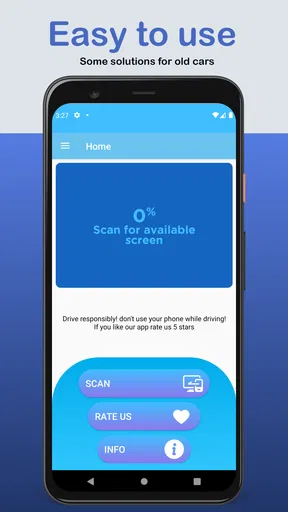
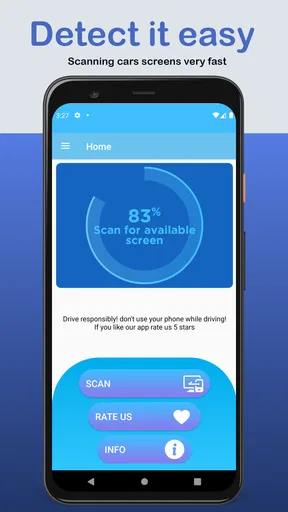
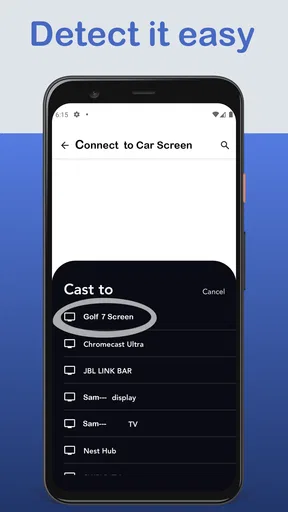
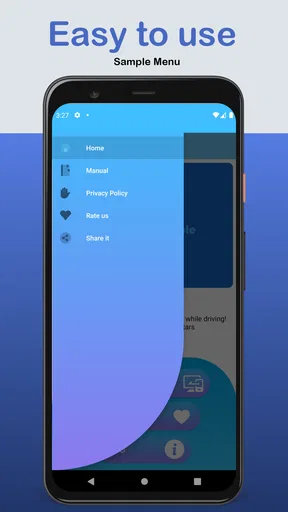
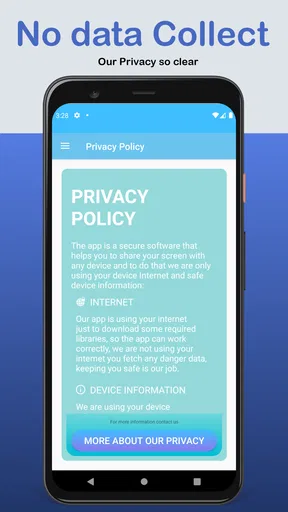
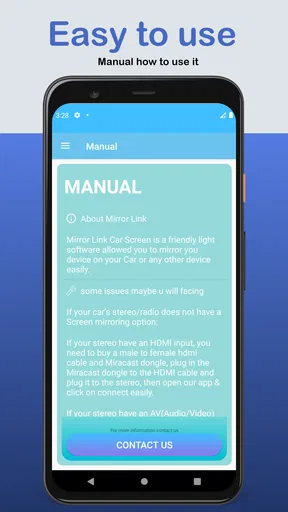
Our Review of Mirror Link Phone Car Screen
 Analysis by Appyee
Connecting a phone to a car screen sounds simple until the first drive exposes the small problems: the cable is unreliable, the display does not appear, or the interface is difficult to control from the driver’s seat. Mirror Link Phone Car Screen, developed by AIOO inc, is designed for that particular job. It belongs to the Libraries & Demo section, but I found its practical purpose much clearer than that label suggests: it is a utility for putting phone content onto a compatible vehicle display.
I approached it as I would any car-related tool: not by asking whether it looks impressive, but whether it makes a repeatable journey easier. The app is free, rated for Everyone, and has passed the fifty-thousand-install mark. Its current version is 6.0, while its minimum Android requirement is 4.4, so it is aimed at a broad range of Android phones rather than only recent hardware.
How the basic connection workflow feels in everyday use
The first thing to understand is that this is not a complete replacement for every form of in-car entertainment. Its central role is mirroring: getting the phone and the car screen to communicate so the phone’s display can be viewed through the vehicle’s interface. That makes the quality of the experience depend on more than the app itself. The phone, the car’s head unit, the connection method, and the permissions or prompts shown during setup all matter.
My recommended starting routine is deliberately boring. Park before experimenting, open the app on the phone, prepare the car’s screen for a phone connection, and then follow the prompts in order. Trying to solve the setup while already moving is both distracting and inefficient. If the car has more than one USB socket, I would test the one intended for data rather than assuming every socket supports screen communication.
Once the connection works, the main benefit is convenience. A passenger can view or control suitable phone content on the larger screen, and the driver can use the vehicle’s controls where the car supports them. The important distinction is that mirroring does not automatically make every phone app pleasant or safe to use in a vehicle. A tall phone interface may look awkward on a wide car display, and small buttons remain small even when enlarged by the screen.
A realistic example is a short trip where I want to start navigation before leaving, check the route on the car display, and avoid repeatedly picking up the phone. In that situation, the app is useful because it helps move the visual task into the dashboard environment. The best results come when I prepare the destination and media before starting the engine, rather than treating the car screen as a second phone for constant browsing.
The most important habit is to establish the connection while parked and then leave the phone alone. That habit matters more than repeatedly reconnecting or changing settings during a journey. If a passenger is present, they can handle phone-side actions; otherwise, the car’s own controls should determine what is practical.
What I check before blaming the app
When the screen does not appear, I first separate three possible causes: the phone has not connected, the car has not selected the correct input, or the two devices are not compatible for the intended type of mirroring. This simple separation saves time. Restarting the app repeatedly is not helpful if the head unit is still showing radio or another source.
I also check whether the phone is unlocked during the initial handshake and whether any confirmation message is waiting. Android connection prompts can be easy to overlook, especially when the phone is mounted low or placed in a console. After accepting a prompt, I give the system a moment rather than unplugging immediately. A connection that takes a little time is not necessarily a failed connection.
The app’s broad Android compatibility is convenient for people using older devices, but that should not be confused with universal car compatibility. A phone running an older supported operating system may still be paired with a vehicle whose screen system expects a different standard. For that reason, I would treat the app as a bridge within a compatible setup, not as a guarantee that any Android phone can mirror to any car.
Settings worth checking before a regular commute
There is no advantage in changing every available phone setting at once. I prefer to create a stable baseline: keep the phone’s display awake during setup if needed, confirm the car is using the correct source, and make sure the connection method is the same each time. Once that works, I change one thing at a time. This makes it much easier to identify whether a later problem comes from the app, the phone, or the vehicle.
Screen orientation is worth considering. A phone may naturally use portrait mode, while a car display is usually wider. If the mirrored image looks cramped, the issue may be the phone’s orientation rather than a failed connection. I would set the phone to the orientation that matches the dashboard before starting the journey, provided the phone and vehicle handle that arrangement sensibly.
Brightness is another practical detail. A very bright phone can create glare on the windshield at night, while a dim screen may be hard to read in daylight. Because the car display may reflect the phone’s visual output, I adjust brightness before driving instead of reaching for the phone after the connection is active. This is a small change, but it improves comfort and reduces distraction.
Notifications deserve attention too. Mirroring can make incoming messages or other alerts more visible on a larger surface. I would silence anything unnecessary before leaving and avoid using the car screen as a general notification dashboard. The app’s job is to connect the screens; it does not turn distracting content into safe driving content.
Audio routing can also create confusion. A picture may appear on the car screen while sound continues through the phone, or the vehicle may take over audio in a way that changes what I hear. I test this while parked by playing a short piece of content and checking the phone’s volume, the car’s volume, and the selected audio source. Doing this once is more useful than assuming visual mirroring automatically guarantees the desired sound path.
Faster patterns for people who use it repeatedly
After the first successful setup, the goal is not to explore more; it is to remove unnecessary steps. I keep the same cable or connection method with the phone rather than swapping accessories between trips. I also place the phone where the connection is easy to start but where it will not become a temptation to handle while driving. A repeatable physical arrangement often prevents more trouble than a new software adjustment.
My preferred sequence is to connect before selecting a destination, wait for the car display to show the phone interface, and then open only the app or service needed for the trip. This avoids launching several phone apps and hoping the car screen catches up. If the connection fails, I return to the baseline: stop, select the correct car input, unlock the phone, and reconnect once. I do not keep cycling through random settings.
For a passenger-led journey, a useful pattern is to let the passenger prepare the phone while the driver handles the car controls. The passenger can confirm prompts, choose content, or troubleshoot a cable without the driver reaching across the cabin. This turns the app into a shared travel tool rather than a reason for the driver to interact with the phone.
Another useful approach is to test the exact combination of phone, cable, and car before relying on it for a long trip. A setup that works at home may behave differently when the phone is low on battery or when another device has already been connected to the vehicle. I would rather spend a few minutes testing in the driveway than discover the problem in an unfamiliar parking lot.
Because the app is free, it is easy to try without committing money. That is helpful when deciding whether a particular phone-and-car combination is workable. Still, free does not mean frictionless. The real cost can be time spent troubleshooting an incompatible head unit or adjusting a display that was never designed to mirror the phone in the way I want.
Where mirroring reaches its limits
The biggest limitation is that the app cannot erase hardware restrictions. If the car screen does not support the relevant connection approach, an app alone cannot turn it into a fully compatible display. This is the point at which many users may expect too much from a tool with a very short store description. Before depending on it, I would check the vehicle manual and identify what its screen actually accepts.
Mirroring is also less polished than a purpose-built automotive interface. A dedicated car platform normally presents large controls, simplified navigation, and a layout designed around driving. A mirrored phone screen may show ordinary mobile menus, cramped text, or controls placed where they are convenient on a handheld device but not on a dashboard. For frequent drivers, that difference can make a native car interface the better choice.
Compatibility can be inconsistent across combinations of Android version, phone manufacturer, cable, and vehicle system. The minimum operating-system support is generous, but older hardware may have slower performance or less dependable connection behavior. On the other hand, a newer phone does not guarantee success if the car’s screen system uses a different standard. I judge the setup as a whole rather than treating the app version as the only factor.
There is also a safety boundary that should not be ignored. Some phone content is simply unsuitable for use while driving, even if it appears on the dashboard. Video, long-form reading, social feeds, and complicated menus belong to a parked or passenger-controlled situation. The app can make content larger; it cannot make every interaction appropriate behind the wheel.
Privacy is another reason to be selective. Once the phone display is visible to people in the vehicle, private messages, account details, and other personal information may appear more openly. I avoid opening sensitive apps during a shared journey and prepare the screen before connecting. This is especially relevant when the car is used by family members, colleagues, or passengers who are not meant to see the phone’s full interface.
Who will get the most from this app
I see the strongest fit for someone with an Android phone and a compatible car display who wants a straightforward way to share the phone screen in the vehicle. It can also suit users with older Android hardware who cannot or do not want to replace the phone simply to try a screen-connection utility. The low barrier of a free download makes experimentation reasonable.
It is less suitable for someone expecting a complete navigation, music, messaging, and voice-control ecosystem. If the car already supports a polished native phone-integration system, I would normally choose that first for regular driving. It is usually easier to operate, more consistent with the car’s controls, and less likely to expose the full phone interface.
I would also skip it if the main goal is watching video on the dashboard while driving. That is the wrong use case regardless of whether the connection works. For parked entertainment or passenger use, mirroring may be practical; for the driver, it should remain limited to tasks that can be handled safely and legally.
My experience with the app’s overall maturity
The public response is mixed but meaningful: the app holds an average rating of 3.8 from around five hundred ratings, with a couple dozen written reviews. I read that as a sign that the basic idea works for some setups while other users encounter compatibility or usability friction. It is not a reason to dismiss the app, but it is a reason to test it with the actual vehicle before building a routine around it.
Its release history places it among tools that have been available since October 2021, and version 6.0 shows that it has continued to receive development attention. I would still evaluate the current experience through a practical trial rather than assuming an update solves every vehicle-specific issue. Screen mirroring depends too heavily on external hardware for a version number alone to guarantee a smooth result.
One subtle trade-off is simplicity versus control. A focused mirroring tool can be easier to understand than a large automotive suite, because its purpose is narrow. At the same time, that narrow purpose means I should not expect it to manage every part of the journey. The app is most convincing when I use it as one link in a prepared workflow, not as the entire in-car system.
My verdict after building a repeatable routine
Mirror Link Phone Car Screen is worth trying when the specific problem is getting an Android phone’s display onto a compatible car screen. I like its straightforward purpose, free access, support for an older Android baseline, and usefulness in passenger or parked scenarios. The best experience comes from checking compatibility first, setting up while stationary, and repeating the same connection routine instead of improvising every trip.
I would recommend it to a friend who has a suitable vehicle and wants to test screen mirroring without paying for an additional tool. I would not recommend treating it as a universal solution for every dashboard, nor as a substitute for a dedicated automotive interface. If your car already offers a stable, purpose-built phone system, that option will probably feel safer and more refined for daily driving.
My final judgment is therefore practical rather than enthusiastic: try it if the hardware is compatible and your expectations are limited to mirroring. Keep the phone prepared, reduce notifications, test audio and orientation while parked, and let passengers handle anything that requires attention. Used with those habits, the app can make a compatible car setup more convenient; used as a promise of universal connectivity, it is likely to disappoint.
Verdict
Strengths of Mirror Link Phone Car Screen
- Simple way to mirror compatible phone content on a car display.
- Can make navigation and media controls easier to access while driving.
- Supports a more convenient hands-free experience in compatible vehicles.
- Useful for viewing supported apps on a larger dashboard screen.
- Setup is generally quick when the phone and car meet compatibility requirements.
Limitations of Mirror Link Phone Car Screen
- Compatibility varies widely by phone model, car system, and USB connection.
- Some features may require additional permissions or accessibility access.
- Mirrored content can appear with lag, especially over wireless connections.
- Not every app works correctly or safely on an in-car display.
- Free versions may include ads or limit certain connection features.
Similar Picks in This Category
View All
PGT: GFX, Launcher & Optimizer
Trilokia Inc.4.5

AusweisApp Bund
Governikus Service GmbH3.7

Cardboard
Google LLC3.2

Gamers GLTool with Game Tuner
Trilokia Inc.4.5

Multi Web Chat - Read Secretly
World Scan & Cleaner3.8

App Cloner Premium & Add-ons
App Listo1.9
Frequently Asked Questions
What is Mirror Link Phone Car Screen and what does it do?
Mirror Link Phone Car Screen is designed to display compatible content from your smartphone on a vehicle’s multimedia screen. Depending on the phone, car stereo, and connection method, it may mirror navigation, media, or selected applications. Before downloading, check whether your vehicle supports the required mirroring technology, because the app cannot add compatibility to hardware that does not support phone projection.
Is Mirror Link Phone Car Screen compatible with every Android phone and car?
No. Compatibility depends on several factors, including your Android version, phone manufacturer, USB or wireless connection support, car multimedia system, and the mirroring standards accepted by the vehicle. Some cars support Android Auto or proprietary systems rather than traditional MirrorLink. It is important to review your car’s manual and the app’s requirements before installation to avoid connection problems or limited functionality.
How do I connect my phone to the car using Mirror Link Phone Car Screen?
After installing the app, enable the relevant connection or projection options on your phone and connect it to the car using a compatible USB cable or supported wireless method. The vehicle’s display may then ask for permission to access the phone. Keep Bluetooth, Wi-Fi, and USB debugging settings configured only as instructed, and avoid changing advanced settings unless your car manufacturer specifically recommends doing so.
Can I use navigation, music, and calls while the phone is mirrored?
The available functions vary according to the car system, phone model, and connection standard. In supported setups, users may access navigation, music, and hands-free calling through the vehicle screen. Some applications can be restricted for safety or compatibility reasons. Always configure destinations and playlists before driving, and use voice controls or pull over safely instead of interacting with the phone while the vehicle is moving.
Is Mirror Link Phone Car Screen free and does it require an internet connection?
The app may be available to download without an upfront charge, but its exact pricing, advertising, or optional in-app features can vary by store version. An internet connection may be needed for installation, updates, online maps, streaming services, or account-related functions. Basic screen communication can sometimes work offline, but successful use still depends on the phone and car supporting the required connection technology.
